If something's wrong,
your people will know.

Before a date or a night out with someone you don't know well, set an alert. If you don't confirm you're fine in time, Safe Return automatically notifies your trusted contacts, with your location.

Free, no ads. Now available on Google Play.

How it works

1

Set the alert

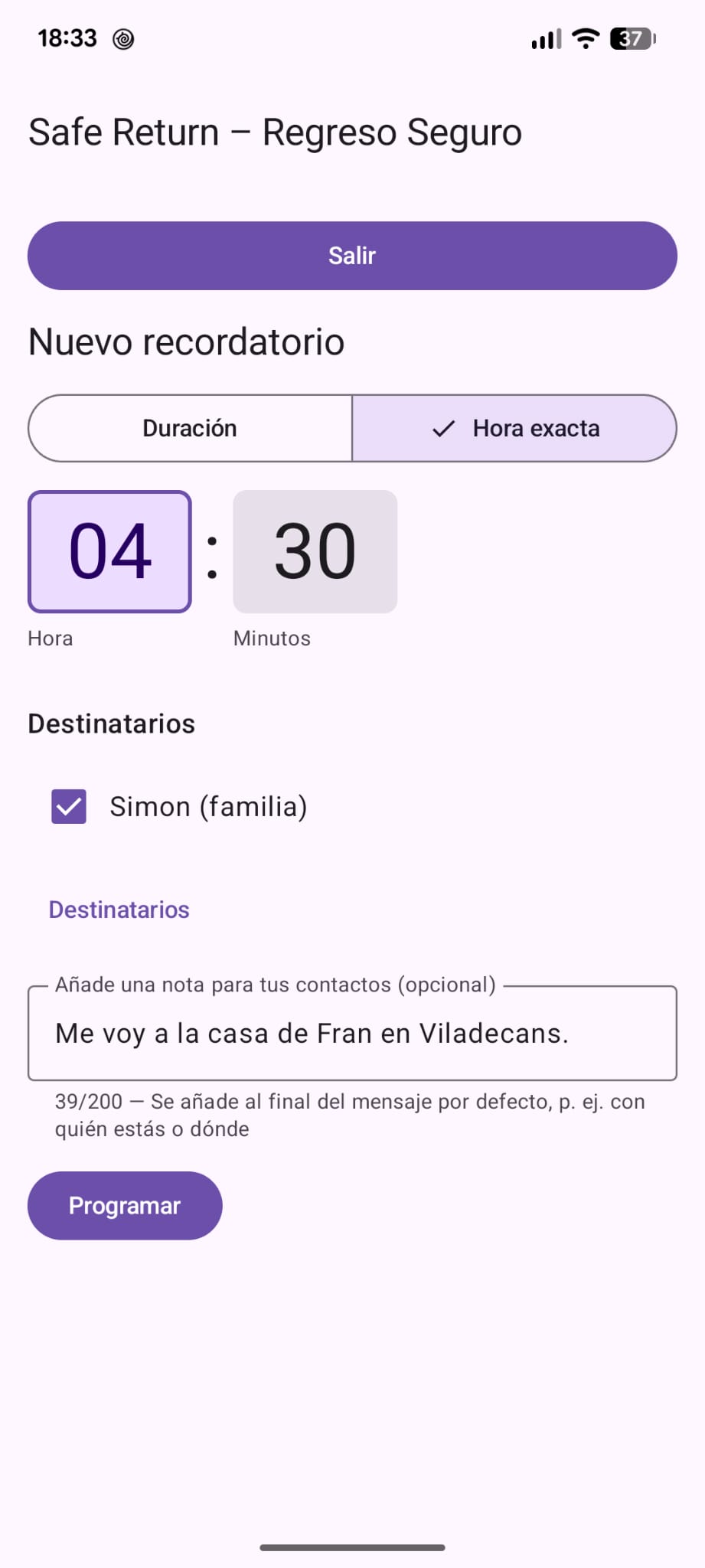
Choose how long (or until what time), who to notify and, if you like, add a note: "I'm with Marcos at the Luna bar".

2

Carry on with your plans

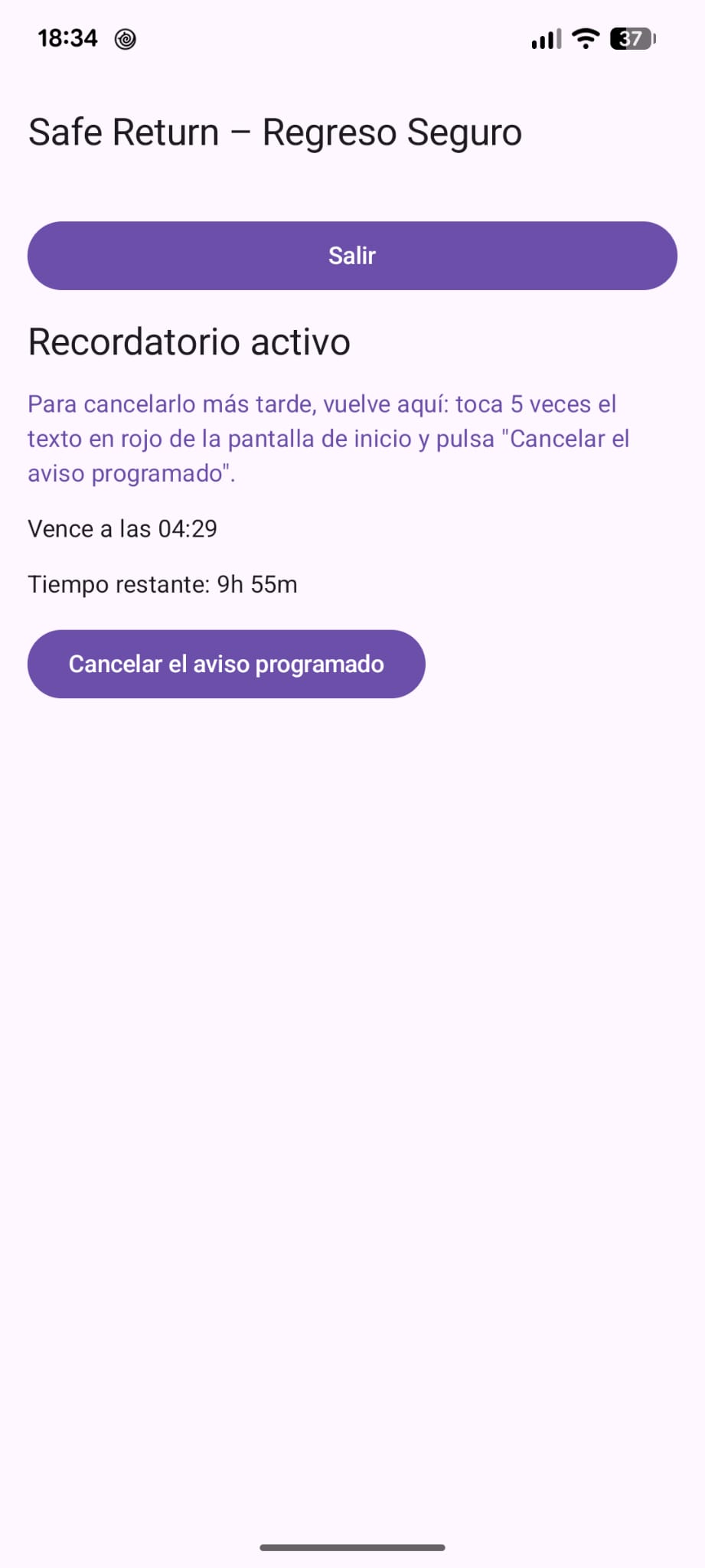
You don't have to explain anything to anyone. The countdown runs on its own.

3

It reminds you

About 5 minutes before the end, a reminder goes off so you don't miss it.

4

Confirm, or it goes out

If you're fine, cancel it from the app. If not, your contacts get the alert.

What your contact receives

An email and a text message with your name, your last location as a map link and your note. Your contact doesn't need to install anything.

The alert is currently sent in Spanish.

It goes out even if your phone can't

The countdown doesn't depend on your phone: it runs on our server. If your phone dies, loses signal or is taken from you, the alert still goes out when time runs out.

Discreet: we recommend disguising it

A safety alert only works if nobody knows about it: if someone sees an app called 'Safe Return' on your phone, they may get suspicious or delete it. That's why we recommend disguising the icon and name as a simple everyday app. It's your choice and you can undo it anytime from 'Change app icon'.
Safe Return
Notes
Calculator
Clock
Weather

Discretion and privacy

  • The 5-minute reminder can use a discreet text
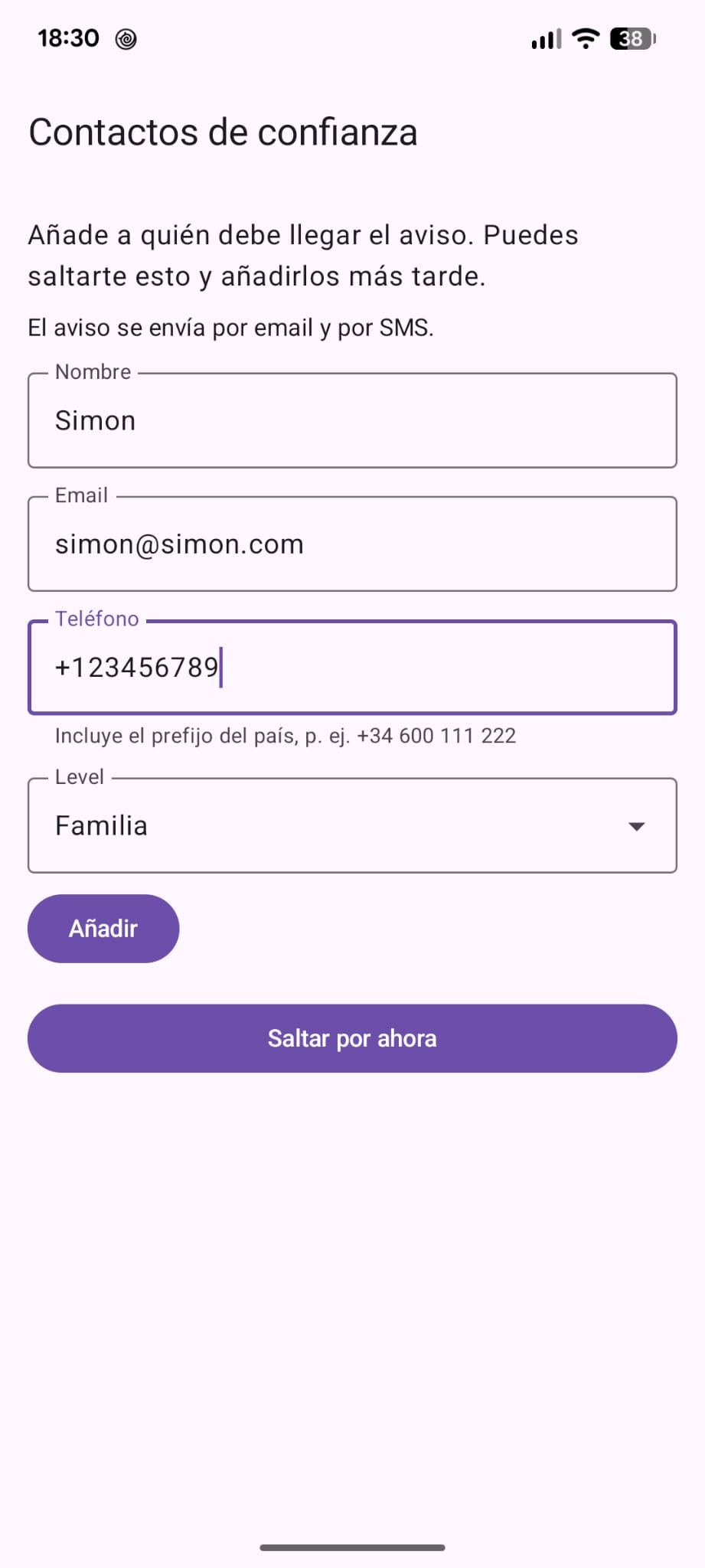
  • Each contact has a level: family, friends or partner
  • You can add a note for your contacts, up to 200 characters
  • Only what is needed to send the alert is stored
  • Your data is never sold or used for advertising
  • Old alerts are deleted after 12 months
  • You can delete your account from the app anytime
It does not replace emergency services. If you're in danger right now, call 112 (or your country's emergency number).

What it looks like

Setting an alert
Setting an alert
Alert running
Alert running
Adding a contact
Adding a contact

Get it

Safe Return is now available on Google Play.

▶ Get it on Google Play

  1. Install it from Google Play and open it.
  2. Follow the steps: your name, your contacts and, we recommend a disguise for the icon.

Questions

How much does it cost?

Nothing. It's free, with no ads.

Do my contacts need the app?

No. They get the alert by email and text message.

What if my battery dies or I lose signal?

The alert still goes out: the countdown lives on the server, not on your phone.

Which location is sent?

Your location when you set the alert, if you allow it. Otherwise the alert is sent without a location.

Does it work on iPhone?

Android only for now.